A realtime voice in front of the agent
Gemini Live or OpenAI Realtime follows everything the agent does and tells you: its replies, its questions, problems and progress. Ask "how's it going?" mid-task and you get an answer at once.
For Claude Code, OpenCode and Codex
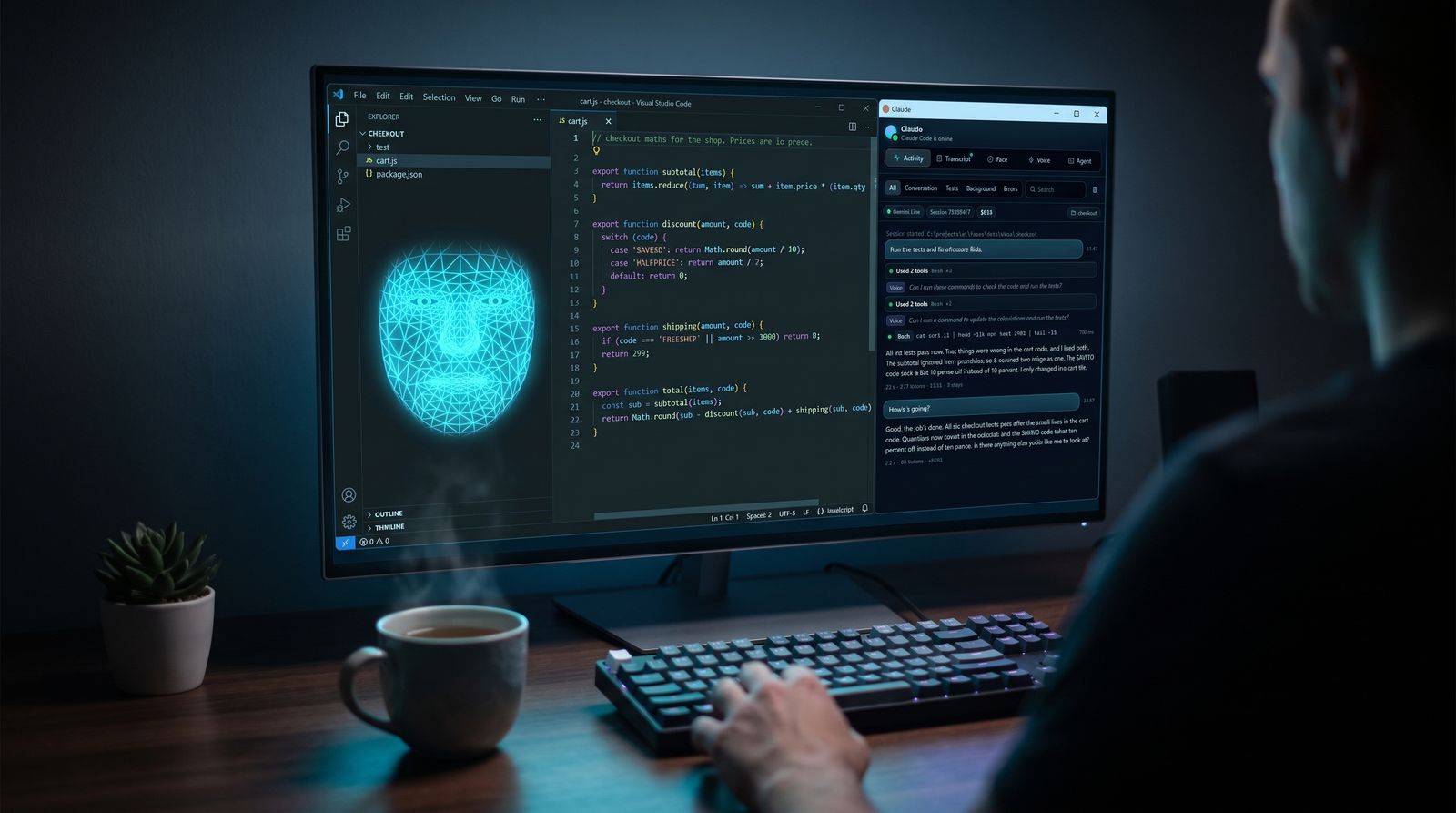
OpenFace floats over your desktop and talks with you. Say what you want: your agent does the work in the background, and the face tells you how it's going, out loud, as it happens.
Free, for Windows. Works with any model your agent can run.
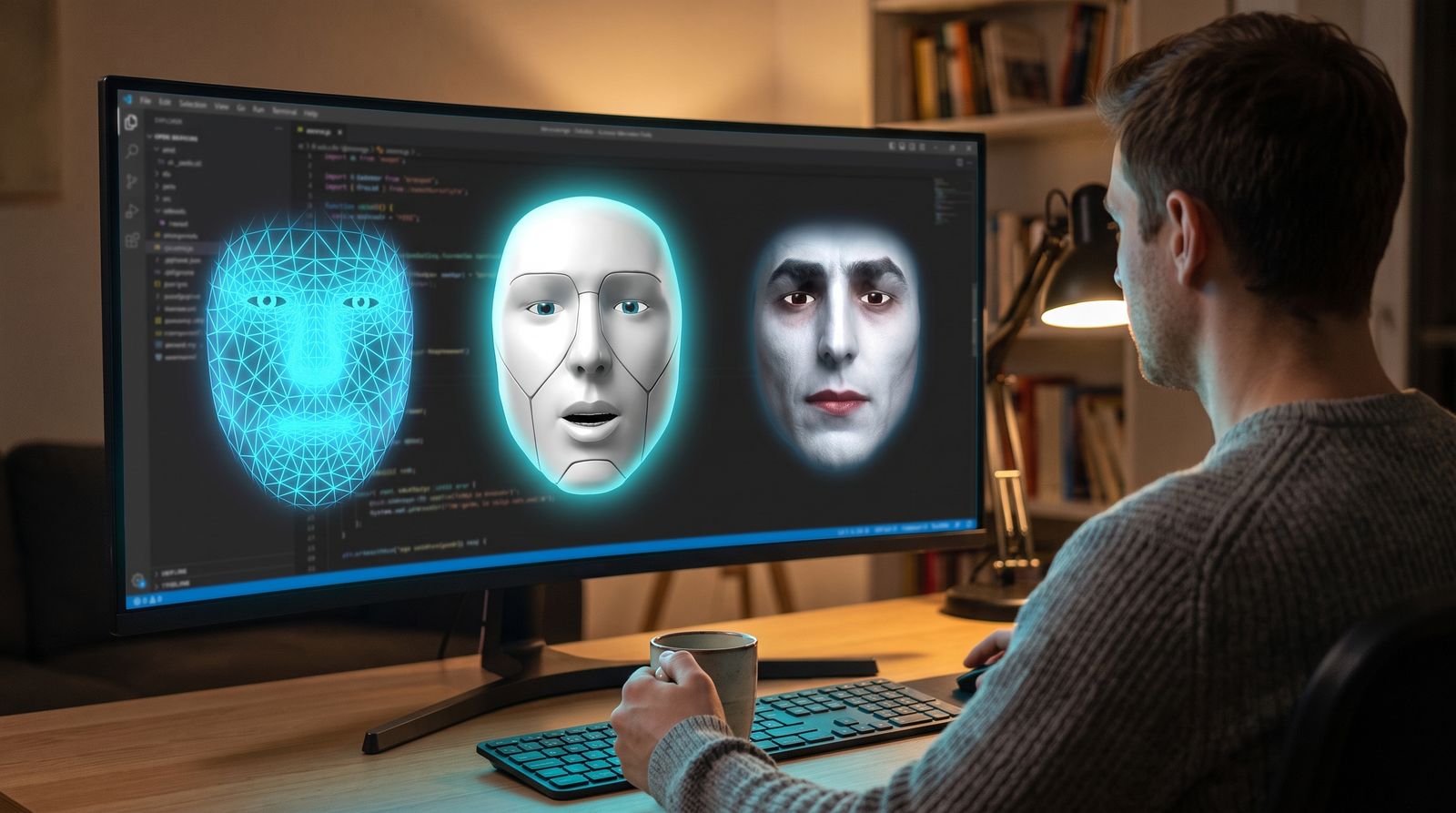
The face here is the app's own engine, running in your browser: the same skins, teeth, expressions and lip sync. Turn the sound on to hear it.
Watch it work
Claude Code finds and fixes two bugs in a checkout module. The face asks before it runs anything, then tells you what was wrong. Recorded in one take, nothing sped up.
What it does
Gemini Live or OpenAI Realtime follows everything the agent does and tells you: its replies, its questions, problems and progress. Ask "how's it going?" mid-task and you get an answer at once.
Claude Code, OpenCode or Codex behind the face. Switch in Settings, and each agent keeps its own conversation. Pick from the models.dev catalog, or type any model name.
Speech is recognised on your PC and goes to the agent word for word. The voice model never hears you and never does the work: every request is answered once, by the agent.
A small keyword spotter listens for the face's name. Say "Claude" while it talks and it stops within about half a second and listens for what you want next.
Fans, hum and typing are taken out before your words are recognised, and voices much quieter than yours, like a TV or people across the room, are ignored.
The activity panel shows the session as a timeline: tool calls, results, subagents, cost per request, and Claude Code's full transcript, live. Dock it to the edge of the screen as a drawer.
Claude Code can take screenshots and use the mouse and keyboard in desktop apps, drive a Chrome window of its own through Playwright, or work in your own Chrome. Clicking and typing ask first.
Happy, curious, concerned, amused, sad: Claude Code sets its own expression with a face tool, and the face takes cues from what it is saying.
Speech recognition runs on your PC, so no audio leaves it. API keys stay in a local file, never in the page or the logs, and the local server makes a fresh access token every run.
How it works
Speech recognition on your PC turns it into text. Or just type, or drop a file on the face.
Your words go straight to Claude Code, OpenCode or Codex as its prompt, in a background session.
Every tool call, result and reply becomes a short note for the realtime voice model.
Replies, questions and progress, in its own words, lip-synced. Answer "yes" or "no" to a permission prompt.
Claude Code and OpenCode ask before they run a command or change a file. The face asks out loud and shows Allow, Always and Deny. Skipping permissions is one switch away, and the face wears a red rim while it's on.
Without a realtime voice key, the classic voice reads the agent's replies with text-to-speech that runs on your PC, or with ElevenLabs if you have a key.
Faces
A glowing hologram, a sculpted head, or a photo: pick one of eight portraits, or drop any picture of a face onto it to wear it. Robots, monsters and counts from Transylvania work too. Change the colours, the teeth (sharp and vampire are options), and how it moves. Say "go away" and it burns away in a shower of sparks. Say "come back" and it does.









Rooms
Put faces in the same room and they behave like a team around you. The room owns the microphone, so you are heard once, and only one face speaks at a time.



OpenFace.cmd --face claude   --room team
OpenFace.cmd --face codex    --room team
OpenFace.cmd --face opencode --room teamAgents
| Claude Code | OpenCode | Codex | |
|---|---|---|---|
| Connects through | Claude Agent SDK | Agent Client Protocol (opencode acp) | codex exec --json |
| Asks before acting | Yes: Allow, Always, Deny | Yes: Allow, Always, Deny | No: its sandbox decides |
| Permission modes | default, acceptEdits, plan | default, own | default, read-only |
| Runs as | One long session | One long session | One run per message, resumed |
| Models | opus, sonnet, haiku or any id | Any provider/model | Any Codex model |
Get started
The first run installs everything it needs inside the folder: a Python environment, Electron, and the speech models (about 650 MB, downloaded once).
git clone https://github.com/compsmart/ai-faces openface
cd openface
OpenFace.cmdThen right-click the face for settings, turn on listening, and say hello. Several faces at once?
OpenFace.cmd --face work gives each one its own settings, folder and voice.