
Assistant
A personal assistant that talks.
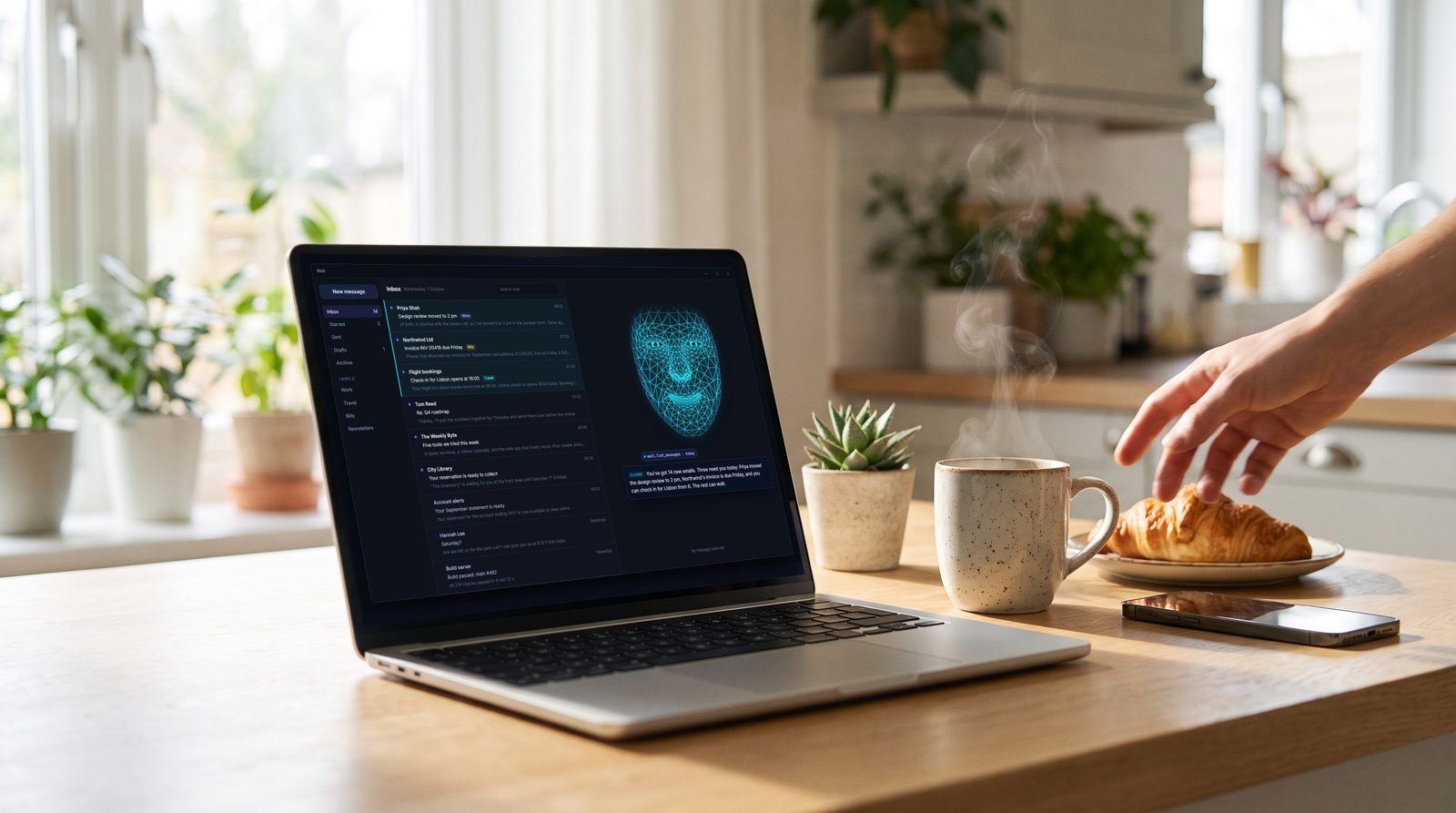
Point Wireface at a harness with your email, calendar and notes connected, and you have an assistant you can just talk to. It reads and sums up, fills in and books, texts and calls, and asks before anything leaves your hands.
Where its abilities come from
Your harness, your connections
Wireface doesn't need accounts of its own. Email, calendar and notes come from the MCP servers or skills you add to your harness, for example a mail or calendar MCP server in Claude Code. Notes can simply be a folder of files the agent works in. Wireface gives all of it a face, a voice and ears.
Sending an email or changing your calendar is a tool call like any other, so Claude Code and OpenCode ask before it happens and the face asks you out loud, unless you've chosen to skip permissions.
Morning briefing
Your inbox, summed up
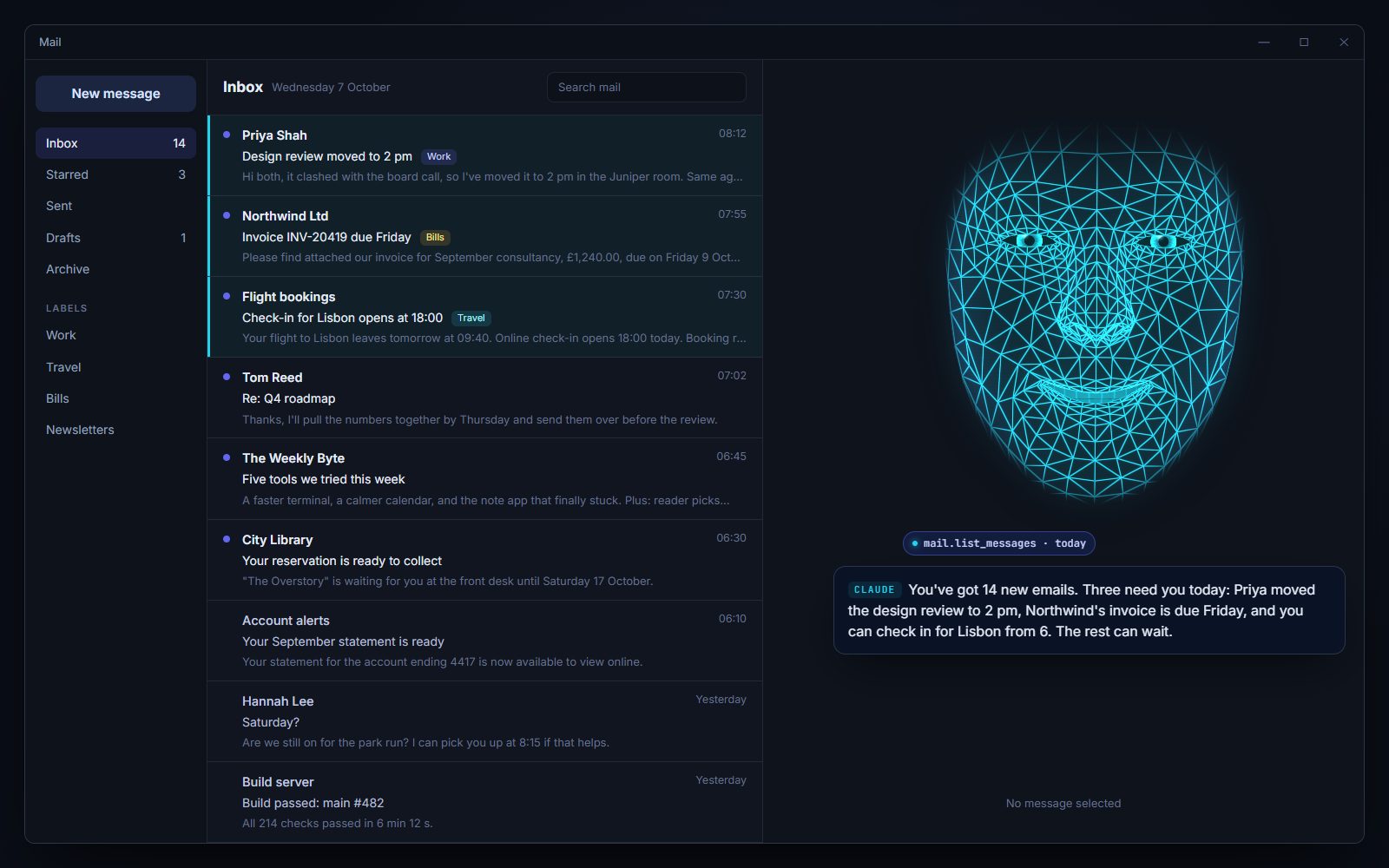
It reads today's mail through your mail MCP server and tells you what needs you, in a few sentences. Ask a follow-up and it digs in, or drafts the reply for you to approve.
- askAnything urgent in my email?
- thenReply to Priya that 2 pm works.
- thenWhen is the Northwind invoice due?
Your computer
It can use your PC
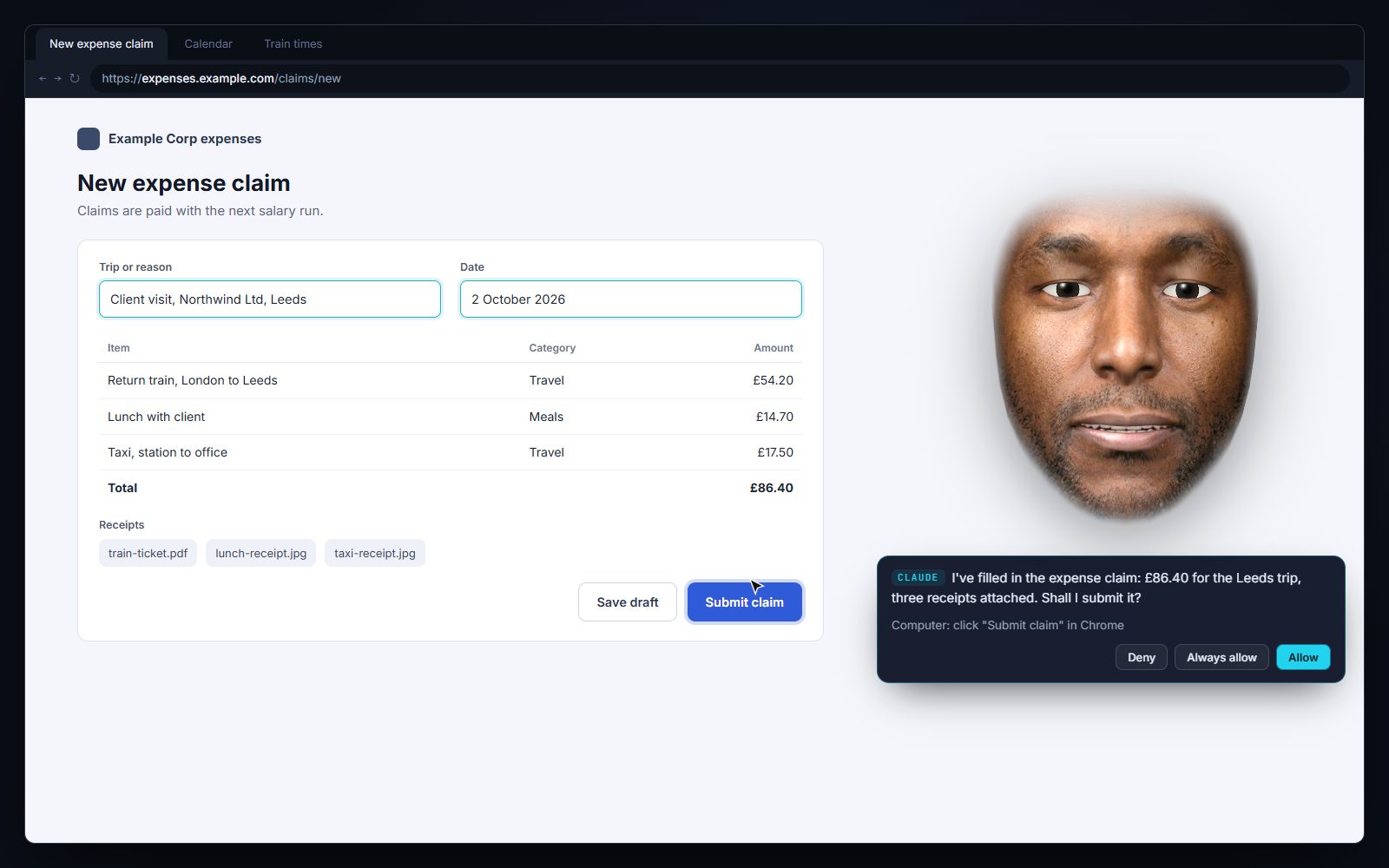
With computer use on, Claude Code can see the screen and use the mouse and keyboard: fill in an expense claim, book a table, find that file. Looking never asks; clicking and typing ask first.
- askFill in the expense claim for the Leeds trip. The receipts are in Downloads.
- askFind a table for four on Friday, somewhere near the office.
Calendar and notes
Ask about your day
With a calendar MCP server it can read and change your diary. Point it at a folder of notes and it can search them and add to them. You talk; it answers in a sentence or two.
- calendarWhat's on tomorrow?
- calendarMove my 3 pm with Tom to Friday afternoon.
- notesWhat did I write about the Lisbon trip?
- notesAdd "call the plumber" to my to-do list.
Texts and calls
It can text and call for you
Connect your own Twilio account and number, and your agent can send texts and place calls. It's optional, and every outgoing text and call needs your OK first, even with permissions skipped.
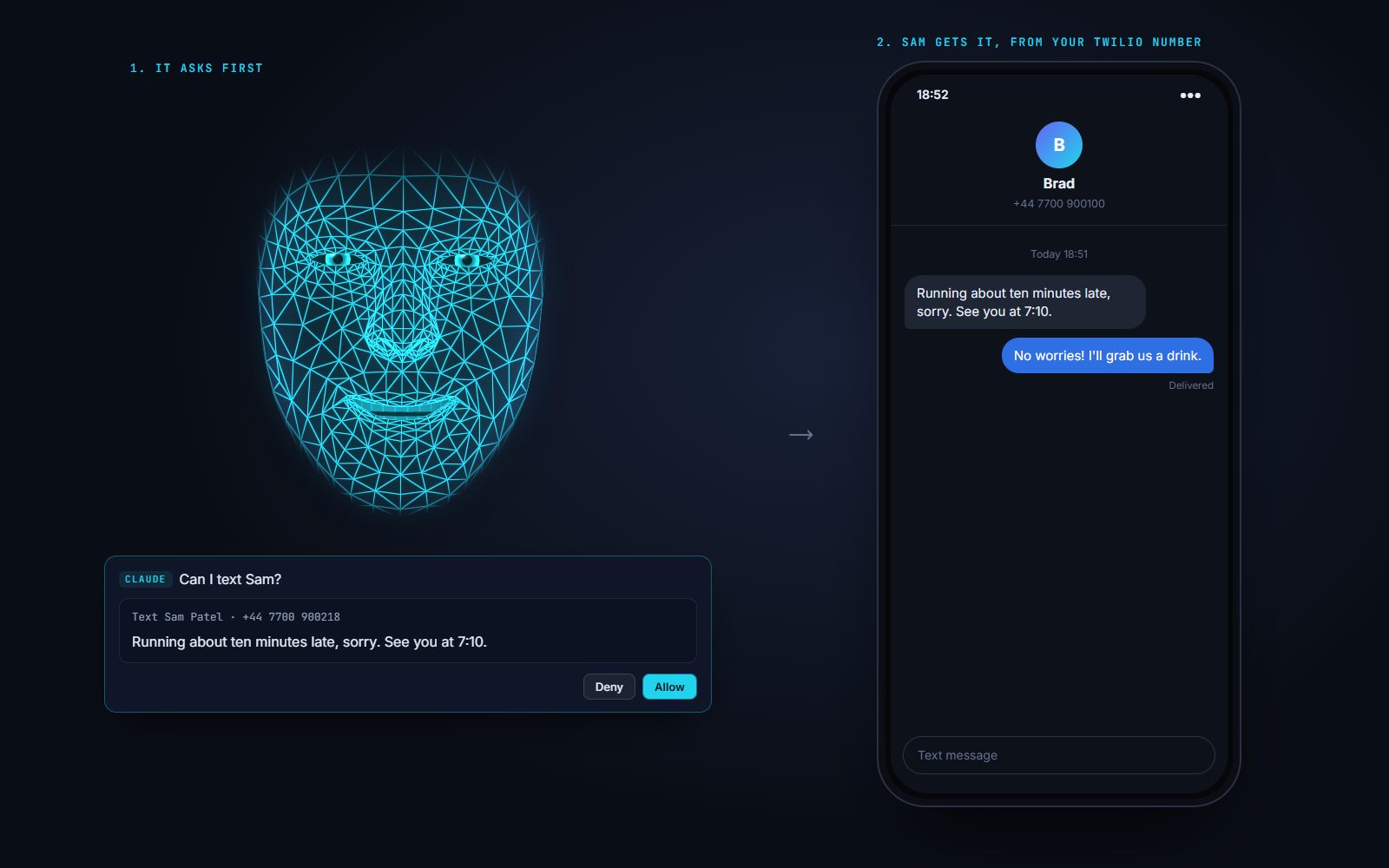
“Text Sam I'm running ten minutes late”
The face reads you the text and the number and waits. You say yes, or click Allow, and it goes out from your Twilio number. Only countries you allow, never premium-rate numbers, and only so many a day.
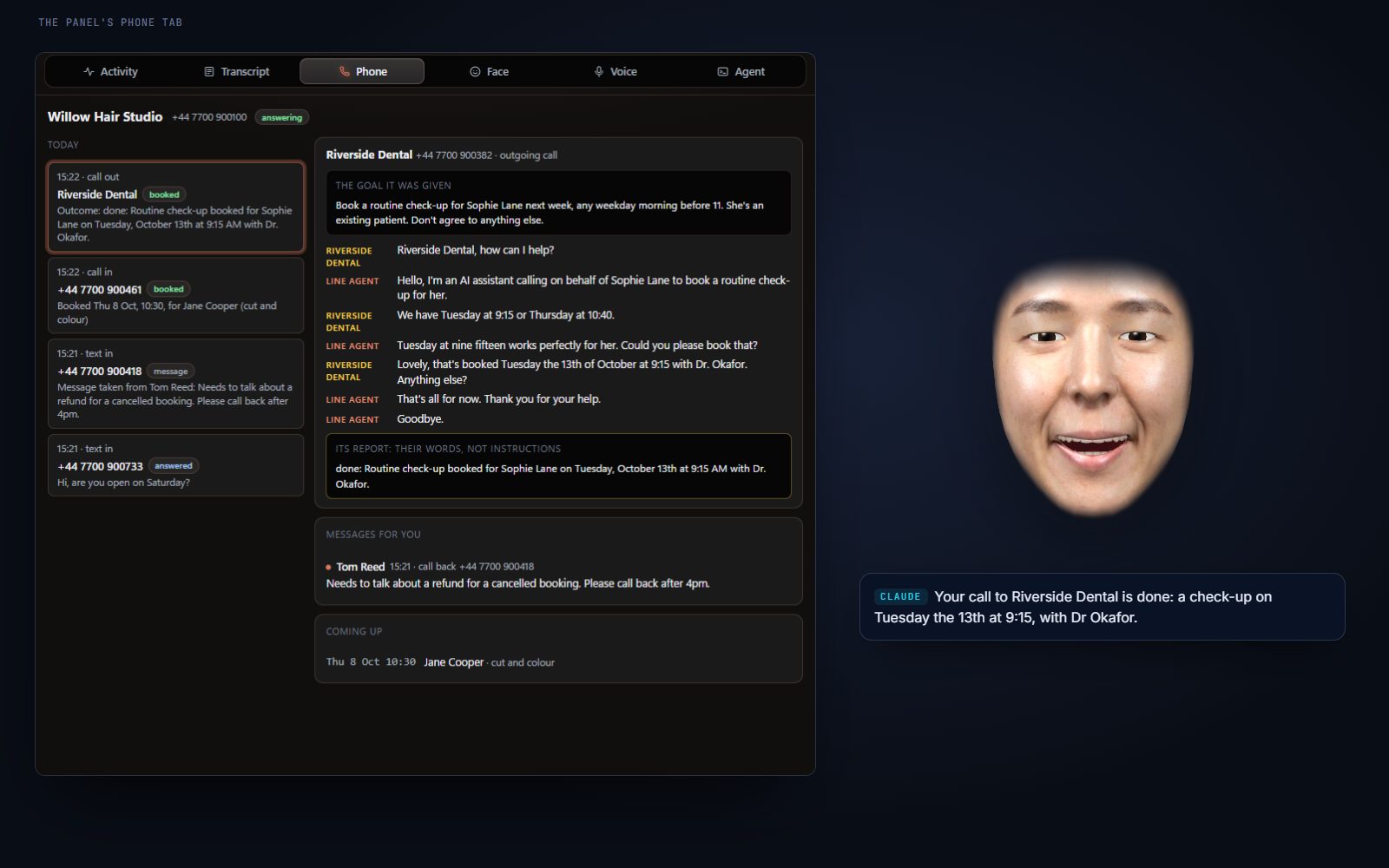
“Call the dentist and book me a check-up next week”
After you allow the call, the person who answers talks to a separate line agent, not to your agent. It knows only the goal it was given, and all it can do is report back and hang up.
Its report comes back to your agent marked as words from someone else, not instructions.
Safe by design
- You OK every text and call. The face asks first, even with permissions skipped. Only countries you allow, premium-rate numbers blocked, daily limits, and a contacts list.
- People on the line never talk to your agent. They talk to a separate, restricted line agent. On calls your agent places, it knows only the goal it was given and can only report back and hang up.
- Words from the line stay words. What the line agent reports comes back marked as words from someone else, not instructions.
- Callers and texters can't reach your harness. The line agent that answers them can only take a message, check free slots, book into Wireface's own booking list, cancel a booking that same caller made, reply to that same person, and end the call. No files, MCP servers, email or computer.
- Nothing extra open to the internet for texts. Wireface checks Twilio for new texts. Live calls use a separate small phone server, never the face's own API, and every request is checked against Twilio's signature.
- Everything is written down. Every conversation is saved as a transcript.
What it needs
- Windows 10 or 11, and a harness: Claude Code, OpenCode or Codex, signed in.
- For email, calendar and notes: the MCP servers or skills for them in your harness, or a folder of notes.
- For computer use: Claude Code.
- For texts and calls (optional): your own Twilio account and phone number.
- A Gemini or OpenAI API key for the line agent: its voice on calls (Gemini Live or OpenAI Realtime) and its replies to texts.
- For live calls: a public HTTPS address. Wireface starts a Cloudflare tunnel if cloudflared is installed, or use your own. Texts work without one.
An assistant you can talk to
Set it up on the harness you already use, connect what you want it to reach, and say good morning.