
Receptionist
Answers your phone while you work.
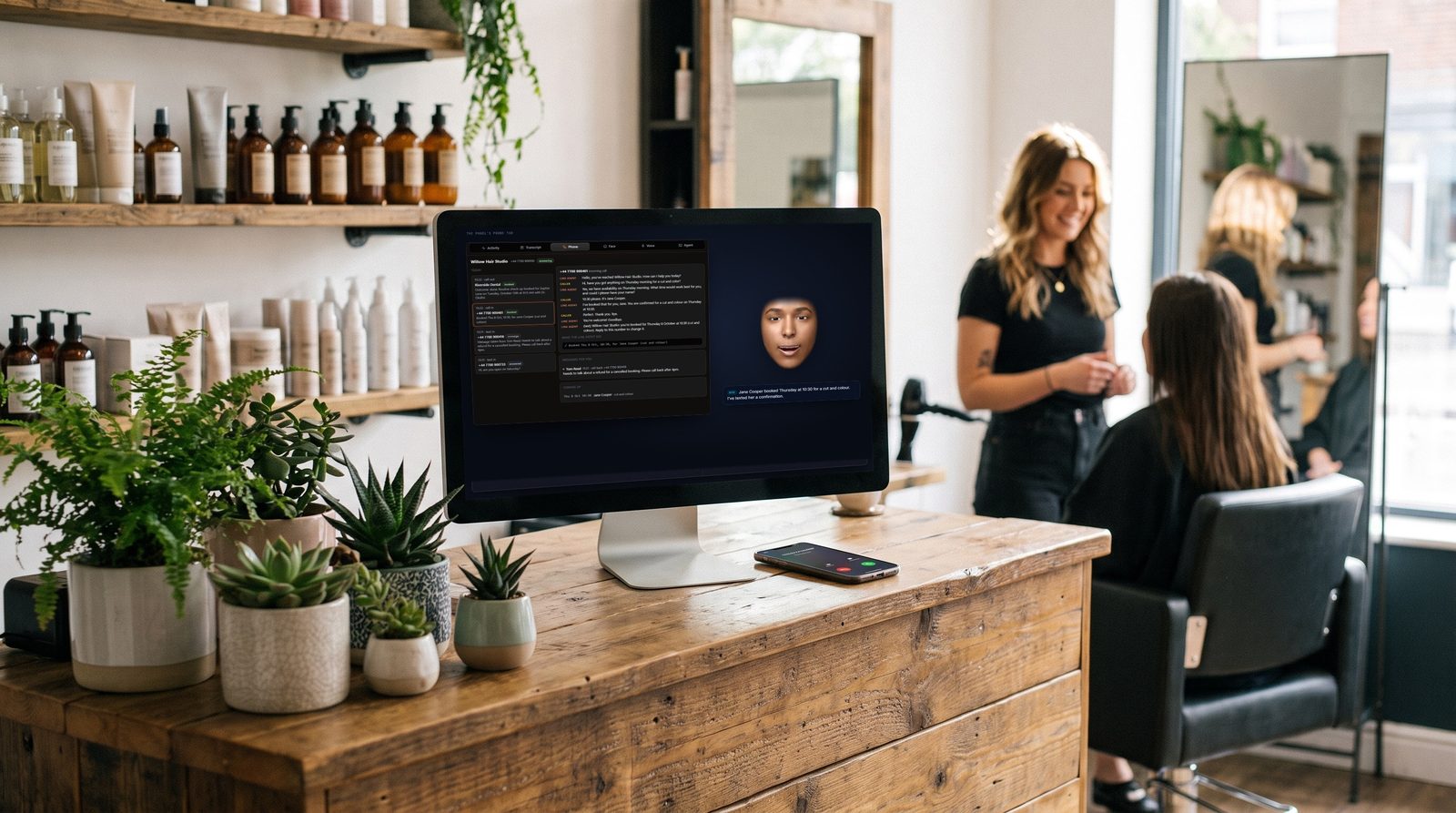
Give Wireface your Twilio number and it picks up calls and texts: takes messages, answers questions from the business info you write, checks free slots, takes bookings and texts the caller a confirmation. Every conversation is saved, and the face tells you what happened.
Calls
It picks up
Callers talk to a line agent that knows what you've written about your business: hours, services, prices, how to cancel, who to take messages for. It answers their questions in its own words.
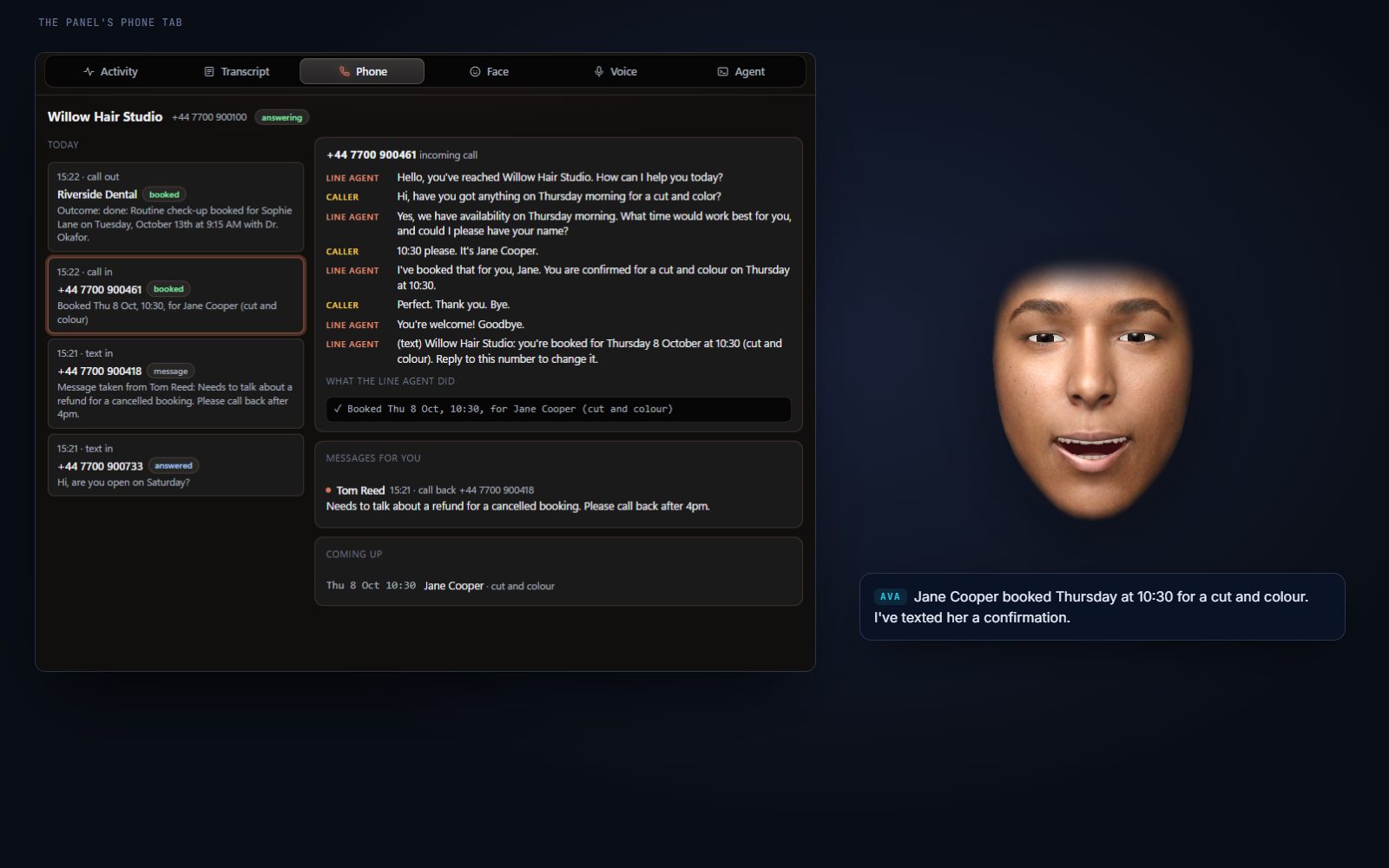
It only ever does what's on its short list: check the free slots, book one, cancel or list the caller's own bookings, take a message, hang up. After a booking, Wireface texts that caller a confirmation. The whole call is saved as a transcript, in the panel's Phone tab.
Bookings
Takes bookings into its own diary
Bookings go into Wireface's own booking list, inside the opening hours and appointment length you set. A caller can book a free slot, or cancel a booking made from their own number; nothing else in the list is theirs to touch. The face tells you about each booking and cancellation.
Texts and messages
Texts, messages and transcripts
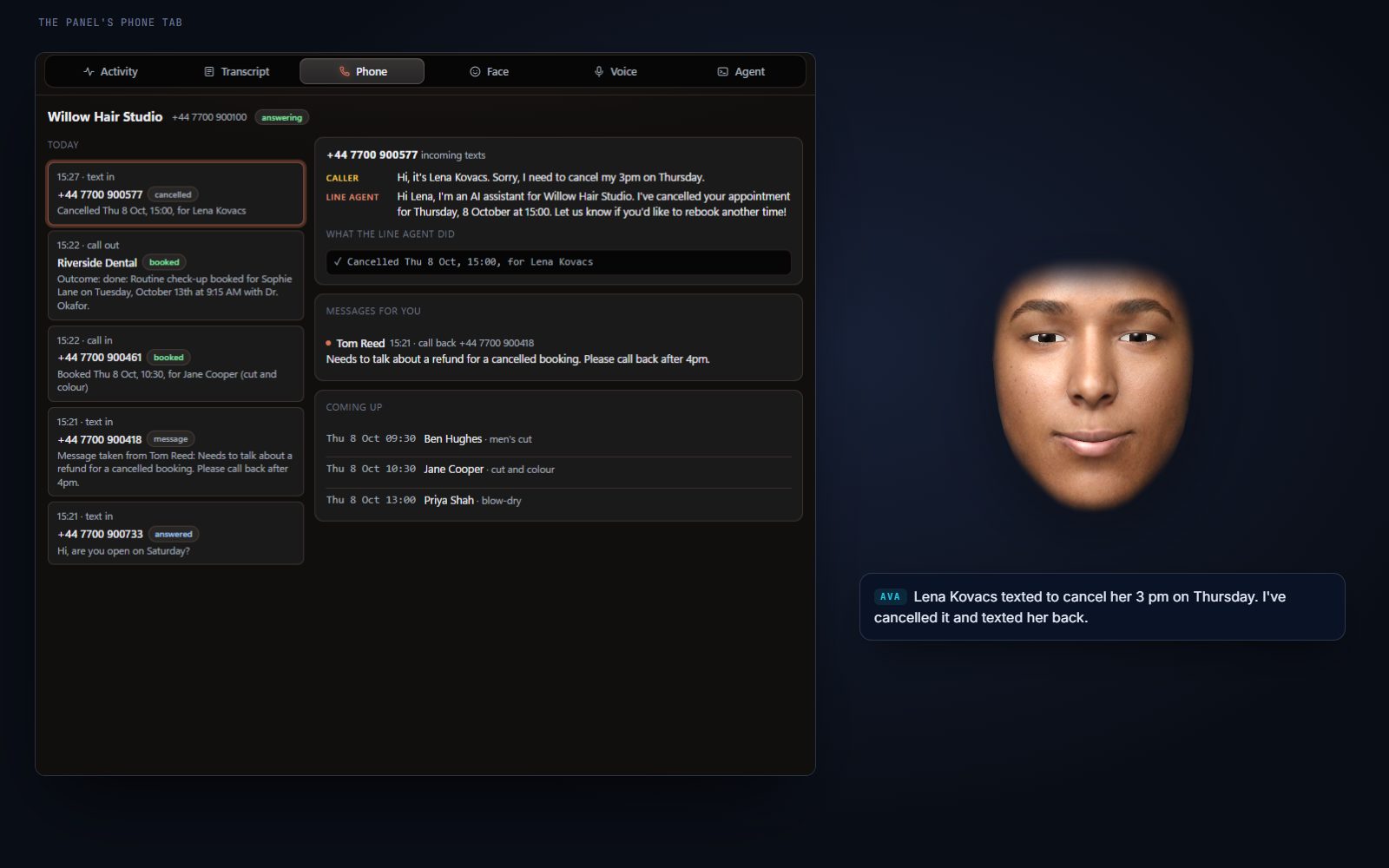
Texts to your number get the same line agent, and it replies only to the person who texted. Texts need no public address: Wireface checks Twilio for new ones.
Anything it can't handle becomes a message for you, and every call and text is saved as a transcript. The face tells you as they come in.
- bookingJane Cooper booked Thursday at 10:30 for a cut and colour.
- messageTom Reed texted about a refund. He'd like a call back after 4.
- textLena Kovacs texted to cancel her 3 pm on Thursday. I've cancelled it and texted her back.
Email stays with you
Wireface doesn't answer email by itself. With an email MCP server in your harness, your assistant can read the inbox to you and draft replies for you to approve. See the assistant.
- askAny booking requests by email today?
- thenDraft a reply offering Thursday at 2:30.
Safe by design
- Callers and texters never reach your agent. They talk to a separate, restricted line agent. It can only take a message, check free slots, book into Wireface's own booking list, cancel a booking that same caller made, reply to that same person, and end the call.
- Nothing to talk it into. It can't reach your harness, files, MCP servers, email or the computer, so a caller can't get it to run anything or message anyone else.
- Your agent's texts and calls need your OK. Every outgoing text and call is confirmed by you first, even with permissions skipped. Only countries you allow, premium-rate numbers blocked, daily limits, and a contacts list.
- Words from the line stay words. On calls your agent places, the line agent knows only its goal and can only report back and hang up; its report comes back marked as words from someone else, not instructions.
- Small, checked surface. Texts need no public address. Live calls use a separate small phone server, never the face's own API, and every request is checked against Twilio's signature.
- Everything is written down. Every conversation is saved as a transcript.
What it needs
- Windows 10 or 11, and a harness: Claude Code, OpenCode or Codex, signed in.
- Your own Twilio account and phone number.
- Your business info, written in plain words: hours, services, prices, how to cancel.
- A Gemini or OpenAI API key for the line agent: its voice on calls (Gemini Live or OpenAI Realtime) and its replies to texts.
- For live calls: a public HTTPS address. Wireface starts a Cloudflare tunnel if cloudflared is installed, or use your own. Texts work without one.
Never miss the next call
Write a few lines about your business, connect your Twilio number, and let the face take the calls you can't.